
Living Museum of Learning
The Museum Publishes Itself
For a long time, our museum had three copies involved in deployment:
Mac → GitHub → Linux
The Linux Git repository quietly served two purposes. It carried the website itself, but it also carried hundreds of JSON files that fed the museum's MySQL database.
Then we decided to simplify.
GitHub would remain the source of truth, and the Mac would publish directly to the production server.
We built publish.sh.
It worked beautifully.
We changed one letter in LM-0324, ran:
./publish.sh
and watched the browser immediately show:
Drop the SMALLER
Success!
Then came LM-0325.
The HTML arrived.
Its image arrived.
But its JSON didn't.
On Linux:
LM-0325.html ✓
new_way_to_publish.png ✓
LM-0325.json ✗
LOL.
We had accidentally discovered that publishing the museum's face was not the same as publishing its memory.
So we split publishing into two independent pipelines.
The website repository became:
golden-museum
│
publish.sh
↓
/srv/museum/
The raw-data repository became:
living-museum
│
publish_json.sh
↓
/home/zhijunsheng/museum-data/
│
↓
MySQL
We then moved the JSON importer and its Python environment out of the Linux Git repository, changed the 7-minute cron job, and watched the new pipeline run successfully again and again.
Only then did we remove the old Linux repository.
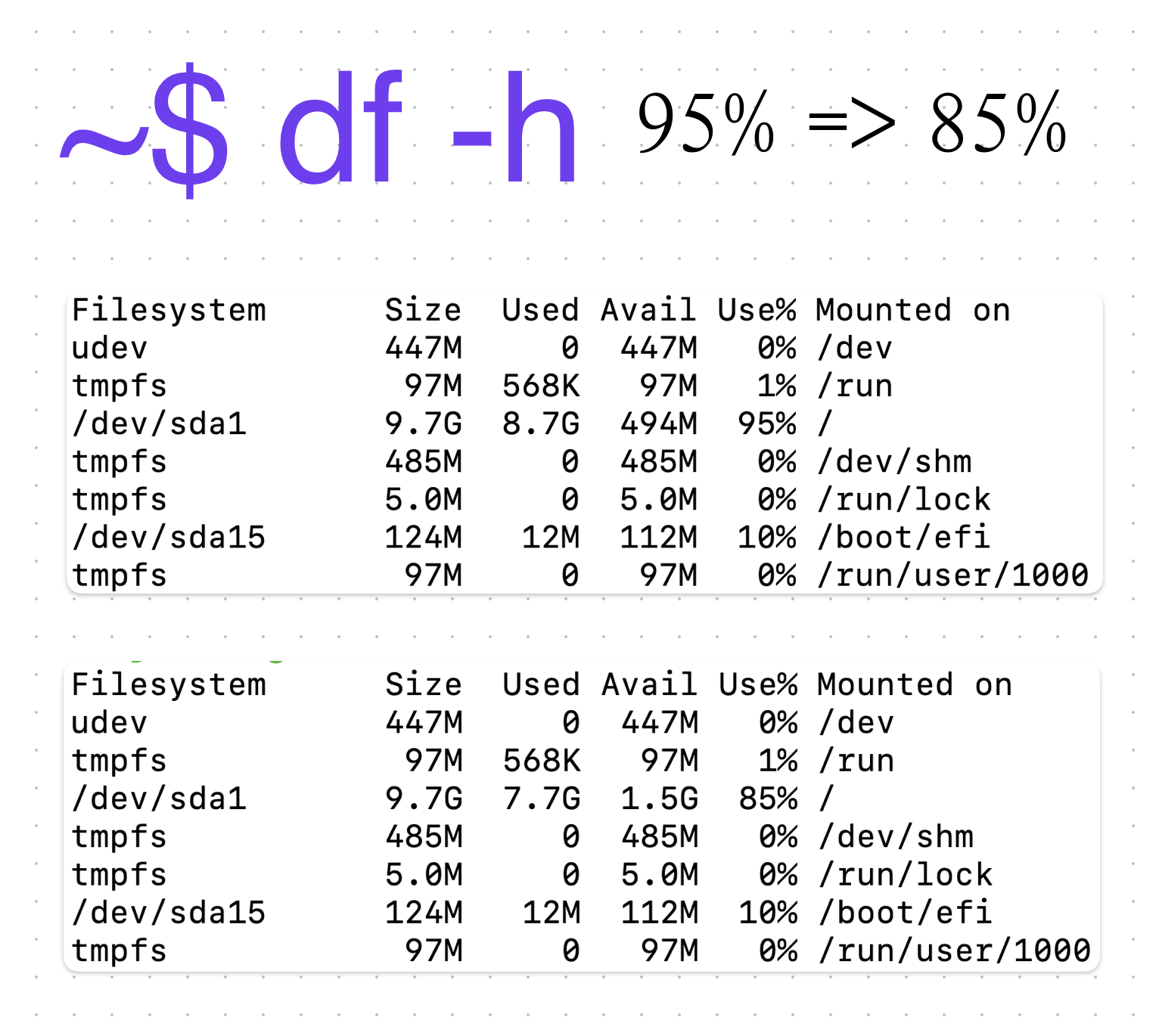
It had been consuming 971 MB.
The little 9.7 GB production box went from:
95% full → 85% full
with about 1 GB of breathing room recovered.
A system becomes simpler not when we remove pieces blindly, but when we understand why each piece exists.
We thought we were removing a redundant Git repository.
Instead, we discovered that it had been doing two different jobs.
Separating those jobs gave us a cleaner architecture:
GitHub = source of truth
Mac = publisher
Linux = production
JSON = raw data
MySQL = database
And the museum can now publish itself without keeping a second copy of its source code on the production server.